
eSIM in monobank
A second number, no physical SIM needed
Why choose eSIM?
- 4providers
lifecell, Vodafone, Kyivstar, and Airalo
- 0 ₴setup fee
and it’s all done right in the mono app
- Saferthan plastic
nobody can physically remove or steal your eSIM
- Easyto transfer
Got a new device? Just scan a QR code to move your number
All major providers available

lifecell

Vodafone

Kyivstar

Airalo
Why you’ll love eSIM
Two lines are better than one
Always have a spare number on hand. How you use it is up to you
Switch between eSIMs
Change profiles in a few taps. No paperclips or SIM ejector tools needed
Easy to transfer
Got a new phone? Just scan a QR code to move your eSIM
Safer than plastic
If you lose your phone, thieves can’t physically remove your SIM
Skip the store
No need to go anywhere. Set up your eSIM entirely in the mono app
Pick your lifecell number
Choose any number you like right at checkout
How to get started
Go to 'More' (bottom right) in the mono app
Tap 'Mobile Services'
Select 'New eSIM'
Choose your provider (lifecell, Kyivstar, Vodafone, or Airalo) and pick a plan
Select a phone number from the list
Confirm your purchase and you're good to go
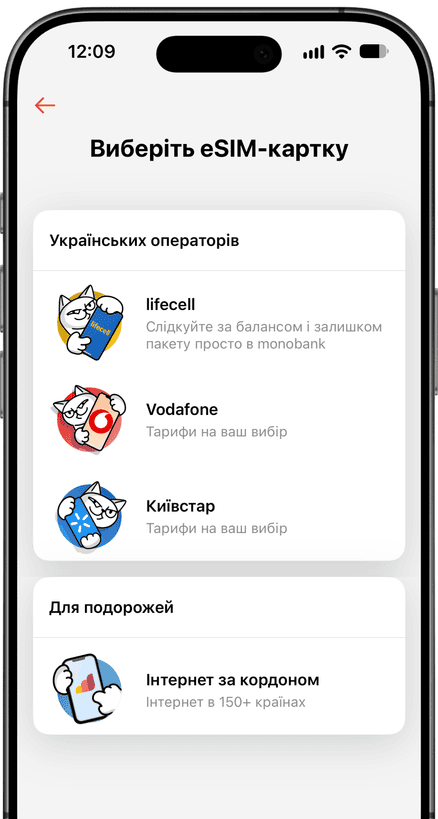
Effortless control with lifecell eSIM
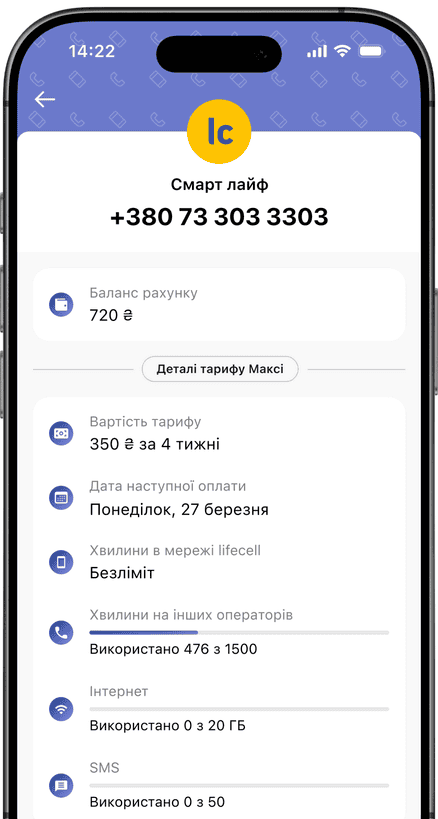
Total control in-app
Balances, renewal dates, and plans — right in your mono app
Transfer your number
Swap your plastic SIM for an eSIM in seconds
Switch networks freely
Move to a new carrier and keep your exact phone number
monobank card
No fees, done in minutes